Invite siblings and paid carers
By the end
Everyone who shares the caring is in the same circle.
A circle is everyone looking after the same person. On the Family plan, up to four of you can share one: brothers, sisters, partners and paid carers. Nobody has to be the one who always rings.
Steps
-
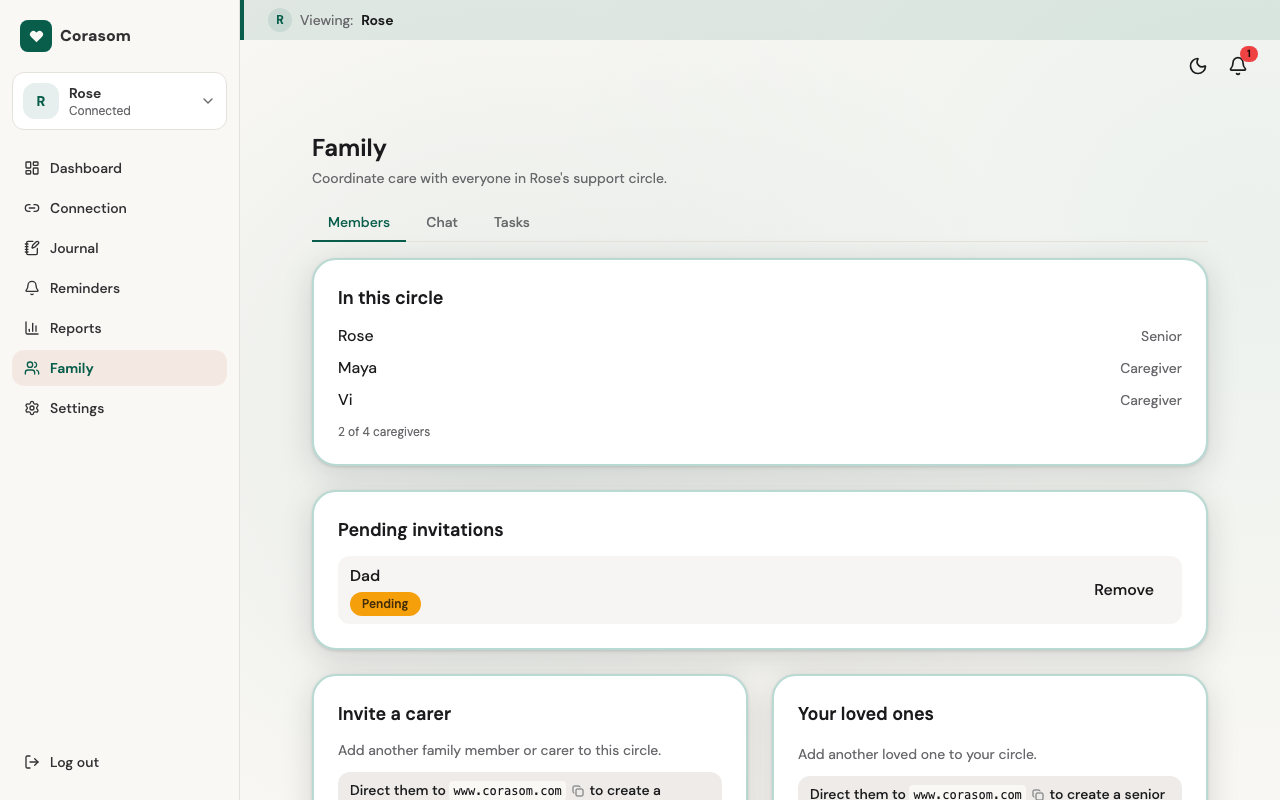
Open Family, then Members. Under Invite a carer, enter their email address, and their name if you like. Then choose Send invitation. They’ll get an email from Corasom with a link to join.
-
Let them know it’s coming. There’s a guide waiting for them: Join a family’s circle.
-
Look for them in your circle. Once they accept, they appear under In this circle, and see the same day you do.
Inviting before your parent has joined
You can invite people before the person you look after has accepted their own invitation. The invitations wait, then join the circle as soon as they do.
What helpers can do
- See their day, the family chat and tasks.
- Add tasks and pick them up.
- Write in the family chat.
What helpers can’t do
- Tick anything off. Only the person you look after can.
- Change their routine. Like you, they can suggest changes.
Paid carers
A paid carer joins in exactly the same way. They’ll see what you see, so check with the person you look after before you invite them.
Leaving a circle
A helper can leave whenever they like: in the switcher at the top of their menu, they choose Remove next to the person’s name. You can cancel an invitation that hasn’t been accepted yet, from Family → Members.
Try it in the demo (opens in a new tab)
Last checked 14 October 2026 · Still stuck? Email [email protected] and a person will answer.